

Building a website on a tight budget forces you to make real choices. Every dollar you spend on something unnecessary is a dollar you can't spend on what actually drives customers to act. When you prioritize website features on a small budget, you stop guessing and start making decisions that generate returns. This guide walks you through exactly what to focus on, what to skip, and how to allocate limited funds so your website works as hard as you do.
Table of Contents
- Key takeaways
- How to prioritize website features on a small budget
- Top essential website features for a tight budget
- How to allocate your budget across features and phases
- Choosing the right technology and vendors
- Validating your site after launch
- My honest take on small budget web development
- How Fastindysites helps small businesses spend smart
- FAQ
Key takeaways
| Point | Details |
|---|---|
| Define goals first | Know what action you want visitors to take before choosing any features. |
| Navigation beats aesthetics | 94% of users say easy navigation is the most critical website feature. |
| Use the 60/20/20 rule | Allocate 60% to core development, 20% to design, and 20% to infrastructure and testing. |
| Content is underestimated | Professional copy and quality visuals are among the highest ROI investments in any web project. |
| Cheap sites cost more | A low-cost site that generates zero leads is more expensive than a professional one that converts. |
How to prioritize website features on a small budget
Before you pick a single feature or talk to a single developer, you need three things locked in: your business goals, your audience, and your actual budget. Skip this step and you will spend money on features that look good in demos but do nothing for your customers.
Start with your goals. Ask yourself what one action you want every visitor to take. Book an appointment? Place an order? Fill out a contact form? Every feature you add should serve that action directly. If it doesn't, it goes to the bottom of the list.
Then think about your audience. A restaurant serving local lunch crowds needs a fast mobile menu and an easy ordering button. A freelance accountant needs a clean service page and a simple contact form. Your audience's habits and expectations should shape which features you build first.
Finally, set a realistic budget range. Here's a quick breakdown of what you can expect at different spending levels:
| Budget range | What you typically get |
|---|---|
| Under $1,000 | DIY template site, limited customization, minimal support |
| $1,000 to $3,000 | Semi-custom design, basic SEO setup, mobile-friendly layout |
| $3,000 to $7,000 | Custom design, content strategy, SEO integration, post-launch support |
| $7,000 and above | Full custom development, advanced features, ongoing optimization |
Strategic budgeting and goal alignment are what separate websites that generate leads from ones that just exist online.
Top essential website features for a tight budget
Once you know your goals and budget, you can make smart choices about which features earn a spot on your site. Here is what matters most, in order of priority.
Intuitive navigation. This is not optional. 91% of users rank functionality and intuitive navigation as the most critical website features. If visitors can't find what they need in two clicks, they leave. Keep your menu simple, your page structure logical, and your most important pages one tap away.
Mobile responsiveness. Most of your customers are on their phones. Mobile-first design directly affects both engagement and your Google rankings. A site that looks broken on a phone is a site that loses business every single day.

Fast page load speed. Speed is a baseline expectation, not a bonus feature. Speed, mobile responsiveness, and clear navigation are the three things users will not compromise on, no matter how good your product is.
Clear calls to action. Every page needs one obvious next step. "Order Now," "Book a Free Call," "Get a Quote." Make the button big, the text direct, and the placement impossible to miss. This is one of the most cost-effective web features you can build because it costs almost nothing and directly drives conversions.
Professional but simple visual design. You don't need a custom illustration or an animated homepage. You need clean typography, consistent colors, and images that don't look like stock photos from 2009. Simple done well beats flashy done poorly every time.
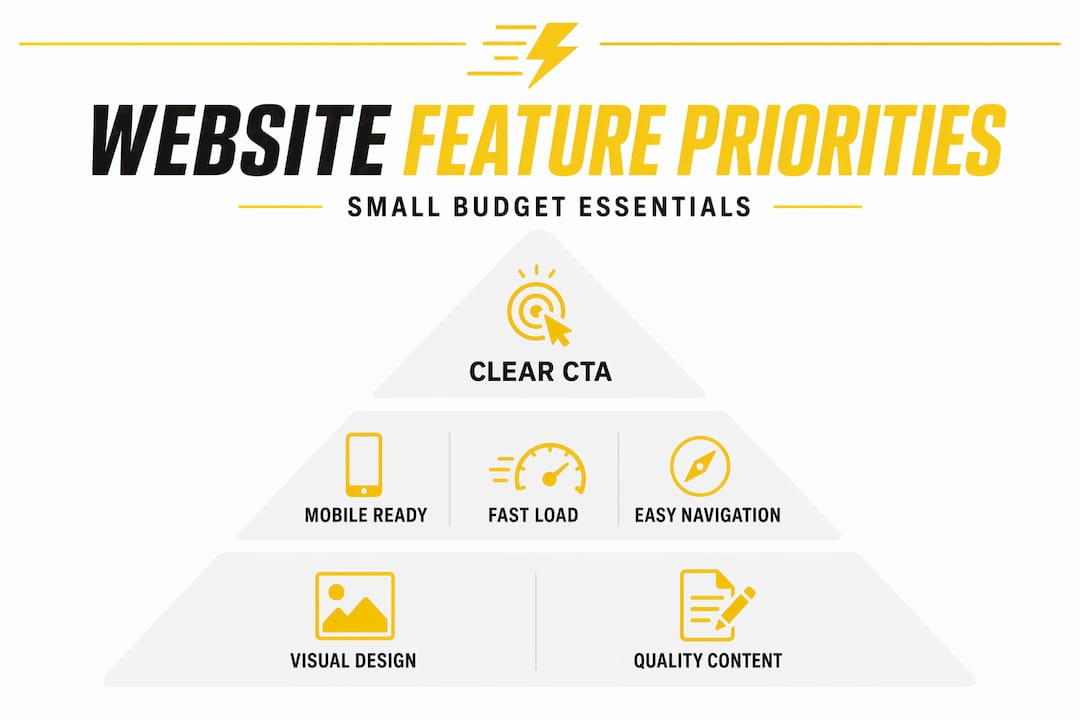
Quality content. Professional copywriting and quality visuals are among the most underestimated investments in web development. Words that speak to your customer's actual problem convert. Generic filler text does not.
Pro Tip: Add social proof near your calls to action. A short testimonial or a star rating next to your "Book Now" button can increase conversions without adding any development cost.
How to allocate your budget across features and phases
Knowing which features matter is half the battle. Knowing how to spread your money across them is the other half. Here's a practical framework that works for most small business websites.
-
Spend 60% on core development and navigation. This covers your site structure, page templates, navigation menus, contact forms, and any ordering or booking functionality. This is where your site either works or doesn't. Don't cut here.
-
Spend 20% on design. This includes your color scheme, typography, logo placement, and any custom graphics. A premium template can handle most of this at a fraction of the cost of fully custom design. You're paying for polish, not reinvention.
-
Spend 20% on infrastructure and testing. Hosting, domain registration, security certificates, and quality assurance testing all live here. Don't skip testing. A form that doesn't submit or a checkout that crashes on mobile will cost you far more than the testing would have.
Beyond the split, factor content creation into your initial budget from day one. Most small business owners treat it as an afterthought and then scramble to fill pages with thin text. That's a mistake that hurts both conversions and search rankings.
Also, build in a line item for foundational SEO. You don't need an expensive ongoing retainer at launch. But you do need proper page titles, meta descriptions, image alt text, and a site structure that search engines can read. These are one-time setup tasks with long-term payoff.
Pro Tip: Avoid spending on trendy add-ons like animated scroll effects, chatbot widgets, or parallax backgrounds until your core site is generating consistent leads. These features feel exciting but rarely move the needle for small businesses.
Choosing the right technology and vendors
The platform and provider you choose will determine how much flexibility you have later and how much you pay to maintain the site over time.
For platforms, content management systems like WordPress give you enormous flexibility at a low entry cost. You can start with a premium template, add functionality through plugins, and scale as your business grows. Other platforms offer similar benefits depending on your technical comfort level and specific needs.
For hosting, don't just look at the introductory price. Hosting costs can carry hidden renewal increases that double or triple your annual bill after year one. Compare hosts on real renewal rates, uptime guarantees, load performance, and whether you can reach a human when something breaks.
When evaluating vendors, price is the wrong starting point. Evaluating vendors on process and goal alignment consistently produces better outcomes than choosing whoever quotes the lowest number. Ask vendors what their discovery process looks like, how they handle revisions, and what's included after launch.
Here's a quick comparison to help you decide between template-based and custom builds:
| Approach | Best for | Cost range | Flexibility |
|---|---|---|---|
| Premium template | Tight budgets, fast launch | Low | Moderate |
| Semi-custom | Mid-range budgets, specific needs | Medium | High |
| Fully custom | Complex features, unique requirements | High | Maximum |
Pro Tip: Ask every vendor for two or three examples of sites they've built for businesses similar to yours. A portfolio that matches your industry and budget range tells you far more than a sales pitch.
Validating your site after launch
Spending your budget wisely doesn't end when the site goes live. The launch is where you find out if your decisions actually worked.
Track these metrics from day one:
- Conversion rate. Are visitors completing the action you designed the site around? If not, something in the flow is broken.
- Page load speed. Use free tools to check your real-world load time. Anything over three seconds needs attention.
- Mobile usability. Test every page on at least two different phone models. What looks fine on a desktop often breaks on a small screen.
- Bounce rate by page. If a specific page is losing visitors immediately, the content or navigation on that page isn't matching what they expected to find.
Avoid the most common post-launch mistake: treating the site as finished. Content goes stale, plugins need updates, and customer behavior changes. Set a monthly reminder to review your top pages and make small improvements. This ongoing attention costs almost nothing and compounds over time.
When your business grows and budget allows, add features in order of impact. A blog that supports your lead generation strategy comes before a custom animation. An expanded service page comes before a chatbot. Scale with purpose, not impulse.
My honest take on small budget web development
I've watched small business owners make the same expensive mistake over and over. They fall in love with a competitor's website, try to replicate every feature on a fraction of the budget, and end up with a site that looks half-finished and converts nobody.
In my experience, the businesses that get the most out of a limited web budget are the ones that resist the urge to do everything at once. They pick one goal, build the simplest possible site that serves that goal well, and then grow from there. That discipline is harder than it sounds when you're excited about your business and want your site to reflect all of it.
I've also seen what happens when someone chooses a vendor purely on price. The deliverable arrives late, the mobile version is an afterthought, and there's no support when something breaks two weeks after launch. A $400 DIY site generating zero leads costs more in lost revenue than a professionally built site that converts consistently. That's not a hypothetical. I've seen it play out with real businesses.
The most practical advice I can give you: find a provider who asks about your business before they talk about features. That conversation is the clearest signal that they understand what you actually need.
— Shariff
How Fastindysites helps small businesses spend smart
If you're a small business owner in Indiana who needs a professional, functional website without a six-month timeline or an agency-sized invoice, Fastindysites was built for exactly that situation.
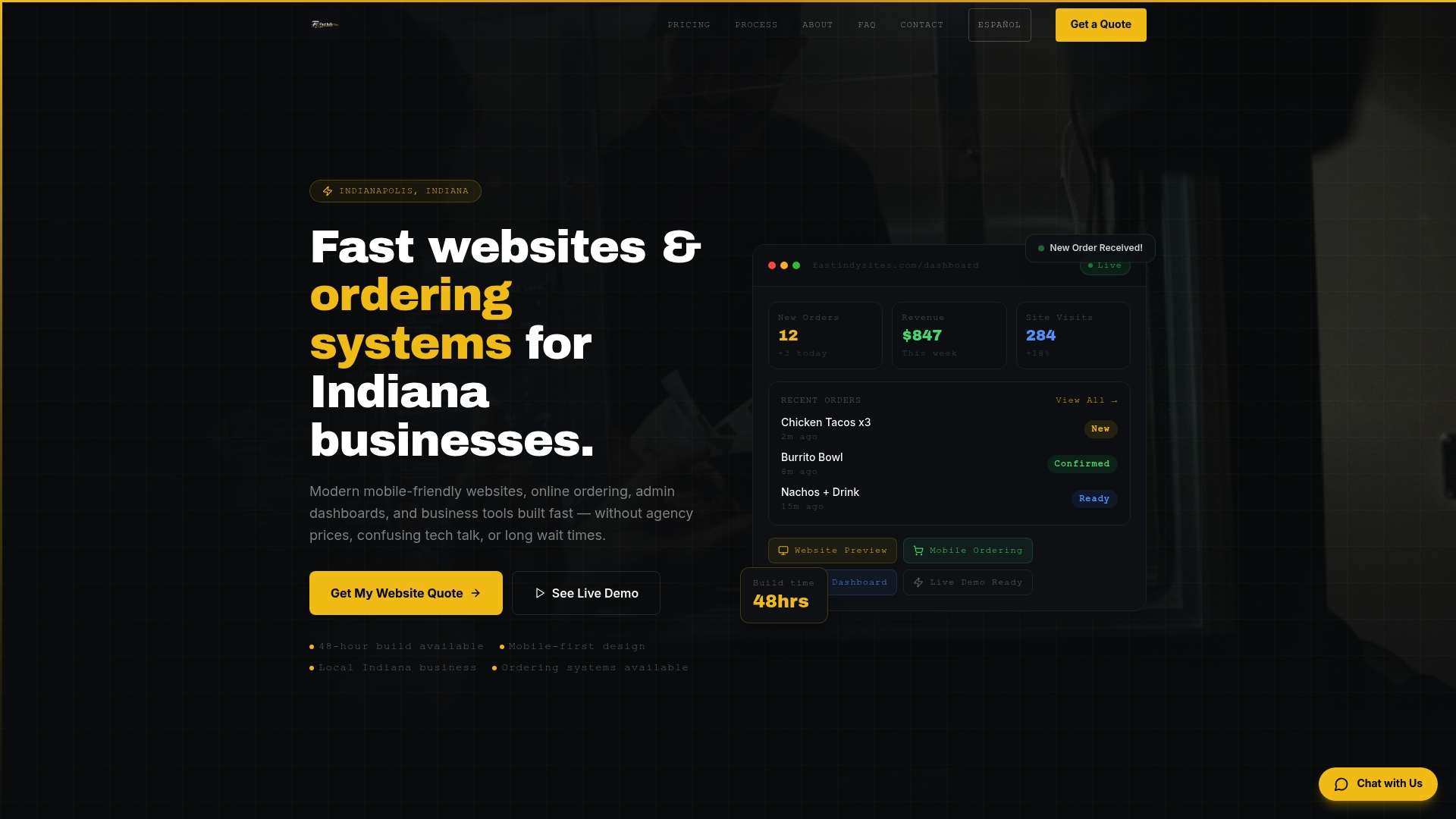
Fastindysites delivers modern, mobile-friendly websites in 48 hours, with a transparent process that keeps your budget intact and your priorities front and center. Restaurants, food trucks, and local businesses get easy-to-manage admin dashboards, real-time menu updates, and ordering systems that reduce errors during busy service hours. There are no surprise fees, no drawn-out timelines, and no features you didn't ask for. Visit Fast Indy Sites to see how a focused, affordable build can get your business online and generating leads faster than you'd expect.
FAQ
What features should a small business website have first?
Focus on intuitive navigation, mobile responsiveness, fast load speed, and a clear call to action. These four elements directly affect whether visitors stay and convert, and they should be in place before any optional features are added.
How much should a small business spend on a website?
Budgets vary widely, but a professionally built site with SEO, mobile optimization, and post-launch support typically falls in the $3,000 to $7,000 range. A site built for less can work, but only if the core features are prioritized correctly.
Why is mobile responsiveness non-negotiable?
Mobile-first design directly impacts both user engagement and search engine rankings. Most customers search and browse on their phones, so a site that doesn't perform on mobile loses those visitors immediately.
How do I evaluate a web development vendor on a budget?
Look beyond price. Ask about their discovery process, how they handle revisions, what's included post-launch, and request examples of work done for businesses similar to yours. Process and track record matter more than the lowest quote.
When should I add more features to my website?
Add features only after your core site is generating consistent results. Prioritize additions by impact: content that supports lead generation comes before visual enhancements, and expanded service pages come before interactive add-ons.